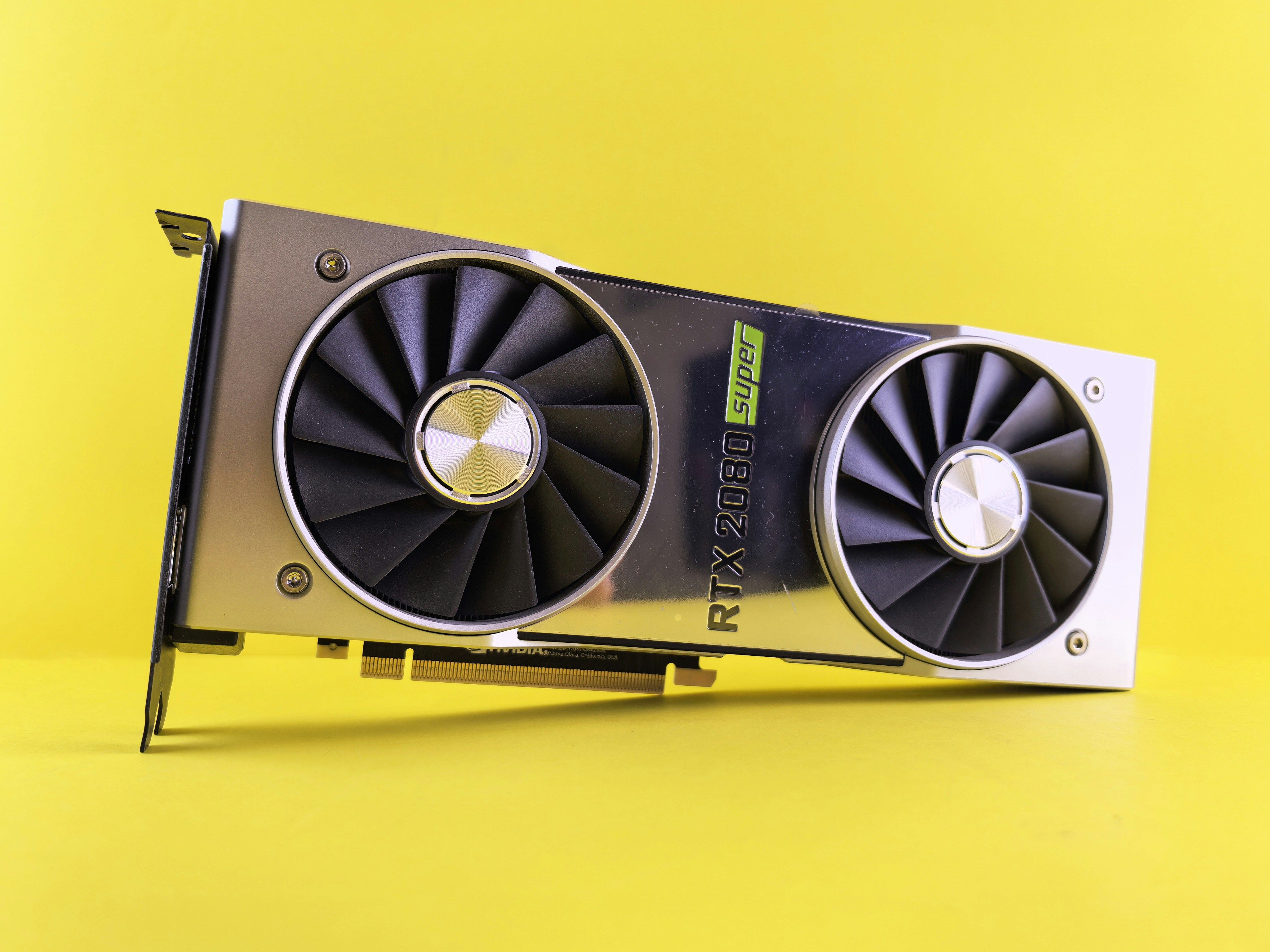
Do you need a GPU to host an AI application? How much RAM per model size? VPS, dedicated server or GPU machine? And where can the data go? Answers backed by figures and sources.
By Tarzs GNIMAGNON, Business Analyst at ITNET Technologies · Updated 13 October 2026 · Reading time: 9 min
You have a prototype running on your laptop: an internal chatbot, a document classifier, semantic search over your customer base. It works. Now it has to go live, for real, with users who are not you. That is when the question becomes concrete and uncomfortable: do you need a GPU? Is a VPS enough? What does it really cost, and where is the data allowed to go? This article answers those four questions in order, with figures.
In short
- Most so-called "AI" applications do not need a GPU. If your application calls a provider's API (OpenAI, Mistral, Anthropic…), it runs no model at all: a standard VPS is more than enough.
- A GPU becomes necessary when you run the model yourself, with fast responses and several simultaneous users. Below that, a CPU with plenty of RAM does the job, more slowly.
- The memory sizing rule is arithmetic: about 2 bytes per parameter in 16-bit, 1 byte in 8-bit, 0.5 byte in 4-bit, so ~14 GB for a 7-billion-parameter model in fp16 and ~4 GB once quantised to 4-bit (Hugging Face).
- Hosting location has become a legal question, not just a technical one: GDPR obligations apply to AI systems (CNIL, 7 February 2025) and the EU AI Act has applied to general-purpose models since 2 August 2025 (European Commission).
- Energy is the real hidden cost: data centre electricity consumption is set to more than double, from 415 TWh in 2024 to around 945 TWh in 2030 (IEA, Energy and AI, April 2025).
Contents
- Why hosting AI is not hosting a website
- Do you really need a GPU?
- How much memory per model size
- External API or self-hosted model
- VPS, dedicated server or GPU machine: which offer for which use
- Storage, bandwidth and cold starts
- What the GDPR and the AI Act change about location
- The energy cost, and how to reduce it
- Deploying and exposing your application properly
- The five most common mistakes
Why is hosting an AI application different from hosting a website?
The difference comes down to one word: memory. A classic website uses little RAM and handles many short requests; a generative AI application loads a multi-gigabyte model into memory, keeps it resident, and processes long, compute-heavy requests.
The practical consequences are immediate:
- RAM, not disk or CPU, becomes the resource that caps your application.
- An inference request can occupy a core for several seconds, where a web page is served in milliseconds.
- Restarting is no longer free: reloading an 8 GB model takes time on every deployment.
- Scaling does not work by adding processes: each process wants its own copy of the model in memory.
- Sizing is reasoned in simultaneous requests, not monthly visitors.
That is why shared hosting is ruled out as soon as a model runs on your side: you control neither the RAM allocated nor resident processes. If you are starting from shared web hosting, moving to a virtual or dedicated server is a prerequisite, not an optimisation.
Do you really need a GPU to host an AI application?
No, in most cases. A GPU is only essential if you run a large model yourself, with real-time response requirements and several users in parallel. Three situations out of four fall outside that scope.
How to decide:
- You call an external API (OpenAI, Mistral, Anthropic, Gemini) → no GPU. Your server only relays HTTP requests. An entry-level VPS is enough.
- You run semantic search / RAG with a vector database and a small embeddings model → CPU + RAM. Embedding models are small (a few hundred MB) and fast on CPU.
- You run a small quantised language model (1 to 8 billion parameters) for internal use or moderate traffic → CPU with 16 to 32 GB of RAM. It is slow (a few words per second), but it works.
- You serve a 7 to 70 billion-parameter model to users who expect an immediate answer → GPU, with no reasonable alternative.
- You train or fine-tune a model → GPU, ideally several.
💡 Pro tip Start by measuring, not buying. Deploy your model on a CPU VPS with enough RAM and time the first response under real load. If you meet your latency target, you have just saved an order of magnitude on your monthly bill. If you do not, you will know exactly how far off you are, which is precisely the information missing when sizing blind.
How much RAM or VRAM do you need per model size?
The calculation is per parameter. Hugging Face documentation states that a copy of the weights in 16-bit takes 2 bytes per parameter (Model memory anatomy). Quantisation divides that figure: 1 byte per parameter in 8-bit, about 0.5 byte in 4-bit.
| Model size | 16-bit weights | 8-bit weights | 4-bit weights | Total memory to plan in 4-bit* |
|---|---|---|---|---|
| 1 billion (1B) | ~2 GB | ~1 GB | ~0.5 GB | 2 to 4 GB |
| 3 billion (3B) | ~6 GB | ~3 GB | ~1.5 GB | 4 to 6 GB |
| 7–8 billion (7B) | ~14–16 GB | ~7–8 GB | ~3.5–4 GB | 8 to 12 GB |
| 13 billion (13B) | ~26 GB | ~13 GB | ~6.5 GB | 12 to 16 GB |
| 34 billion (34B) | ~68 GB | ~34 GB | ~17 GB | 24 to 32 GB |
| 70 billion (70B) | ~140 GB | ~70 GB | ~35 GB | 48 to 64 GB |
* The weight columns are direct calculations from the 2 bytes/parameter rule. The last column is an order of magnitude: it adds the headroom needed for the context cache, the runtime and the operating system, which varies with context length and inference engine. Check it against your real load.
Two useful readings of this table:
- A 7 to 8 billion-parameter model quantised to 4-bit fits in 8 to 12 GB, that is, in a properly sized VPS, without a GPU.
- The cost jump is not gradual: it happens between 13B and 34B, where the memory required exceeds what a general-purpose server offers comfortably.
Should you call an API or self-host your model?
The question is not technical, it is economic and legal. An API is paid per use and sends data outside; self-hosting costs a fixed fee and keeps data with you.
| Criterion | Provider API | Self-hosted model |
|---|---|---|
| Cost | Variable, per token: low at first, unpredictable at scale | Fixed, monthly: high at first, decreasing with use |
| Setup | A few hours | A few days to a few weeks |
| Model quality | The best models available | Open models, often behind on complex tasks |
| Data | Sent to a third party, often outside the EU | Stays on your infrastructure |
| Latency | Depends on network and provider | Under your control |
| Availability | Depends on the provider | Depends on you |
| GDPR compliance | Requires a contractual framework for the transfer | Simpler if the server is in the EU |
The most common tipping point: volume. As long as you make a few thousand calls a month, an API is cheaper than any server. Beyond that, the maths reverses, and that is when you need to have measured your memory requirement.
💡 Pro tip Hybrid architecture is underrated: a self-hosted open model for high-volume, repetitive tasks (classification, extraction, embeddings), and an external API for rare requests that need the best reasoning. You pay the flat fee where volume justifies it, and per token where quality justifies it.
VPS, dedicated server or GPU machine: which offer for which use?
The choice rests on two axes: do you run the model, and how many simultaneous users do you serve?
| Your case | Deciding resource | Suitable offer |
|---|---|---|
| Application calling an external API | Light CPU, modest RAM | Entry-level VPS |
| Semantic search / RAG, vector database | RAM and NVMe disk | Mid-range VPS |
| Small quantised model (≤ 8B), internal use | 16 to 32 GB of RAM | High-end VPS |
| 13B–34B model, real traffic | 32 to 64 GB of RAM, dedicated CPU | Physical server |
| Real-time multi-user inference | GPU VRAM | Dedicated GPU machine |
| Training / fine-tuning | GPU VRAM, several cards | Specialised GPU infrastructure |
What the Wayhost VPS page showed on 1 October 2026: full root access, NVMe storage, unlimited traffic, DDoS protection, daily backups kept for 30 days, 99.99% announced availability, servers in Paris, and immersion cooling. For an inference workload, root access and NVMe matter most: the first because an inference engine installs at system level, the second because loading 8 GB of weights from a slow disk costs you on every restart.
If VPS vocabulary is new to you, our guide What is a VPS? covers the basics first.
How do you size storage, bandwidth and cold starts?
Storage is sized on the model weights, not on application data. A quantised 7B model weighs 4 to 5 GB on disk; a vector database of a few hundred thousand documents, a few gigabytes. The real issue is not capacity, it is read speed.
Points to plan for:
- NVMe disk is mandatory if you reload the model at startup: the gap between NVMe and network storage is measured in minutes of downtime on every deployment.
- Plan 3 to 4 times the model size in free space: weights, quantised version, inference engine cache, and room to download the next version before switching.
- Keep the model resident in memory between requests: cold start is the first factor in perceived latency, far ahead of computation itself.
- Outbound bandwidth is rarely the bottleneck for text, a few kilobytes per answer. It becomes one for images or audio.
- The initial weight download can reach tens of gigabytes: check that your plan does not bill inbound transfer.
What do the GDPR and the EU AI Act change about where you host?
They turn server location into a compliance decision. On 7 February 2025, France's data protection authority (CNIL) published its recommendations on developing AI systems, confirming that GDPR principles (informing people, rights of access, rectification and objection) fully apply to processing carried out by AI systems (CNIL).
At the same time, the EU AI Act applies in stages: obligations for general-purpose models have applied since 2 August 2025, and those for high-risk systems will apply from 2 December 2027 (European Commission).
What this means in practice when choosing hosting:
- Knowing where your data physically sits stops being a matter of principle: it is information you must be able to document.
- A transfer outside the EU is not forbidden, but it needs a contractual framework that EU hosting spares you.
- Inference traces matter: if you log user requests, you may be storing personal data; where logs are stored falls under the same analysis as the database.
- Cascading subcontracting is a risk: a European host that itself relies on non-European infrastructure does not solve the problem.
- Self-hosting the model in the EU is the easiest setup to defend before an auditor, because no data leaves the infrastructure.
This is what pushes more and more teams towards a server in France rather than a non-European API, even when the raw cost is higher.
What is the real energy cost of an AI application, and how can you reduce it?
It is significant across the sector, and directly reducible at your server's scale. The International Energy Agency puts global data centre electricity consumption at 415 TWh in 2024, about 1.5% of world electricity, and projects around 945 TWh in 2030 (IEA, Energy and AI, April 2025). The same report notes that an AI-focused data centre uses as much electricity as 100,000 households, and the largest under construction will use twenty times more.
At your scale, three levers have a measurable effect:
- Quantise the model: going from 16-bit to 4-bit divides the memory needed by four, and therefore the size of the machine to power.
- Choose the smallest model that meets the need: a 3B model that does the job costs a fraction of the energy of an impressive 70B.
- Pool inference: a well-loaded server is more efficient per request than an oversized one idling.
On the infrastructure side, the cooling method weighs heavily in a data centre's consumption. Immersion cooling, used by Wayhost, submerges servers in a dielectric fluid instead of cooling them with air, an approach that removes active fans at server level.
How do you deploy and expose your AI application properly?
The rule is to separate the model from the application. Running the inference engine as a separate service behind an internal API lets you restart the application without reloading weights, and change models without touching business code.
A sound production setup includes:
- An inference engine as a system service, started automatically and monitored (restart on failure).
- A reverse proxy in front of the application, with TLS and rate limiting: inference is expensive, so an obvious target for abuse.
- A queue if several requests can arrive at once: better to make users wait than to saturate memory.
- A dedicated subdomain for the API, set up in your DNS zone, separate from the public site.
- Explicit timeouts on client and server: an inference request that goes astray must not block a process indefinitely.
- Memory monitoring, not just CPU: memory is what fails first.
- Backups of application data (vector database, history), since model weights can be downloaded again.
If your application still lives on shared hosting, the switchover is detailed in our guide on moving from shared hosting to a VPS.
What are the most common mistakes?
The costliest is buying a GPU before measuring. It comes up again and again, and you pay for it every month.
The five we see most often:
- Sizing on CPU when RAM is the limit. A 16-core server with 8 GB of RAM will not run a 13B model.
- Reloading the model on every request, because the application was written like a script. Latency becomes inexplicable and the server spends its time reading the disk.
- Forgetting logs in the GDPR analysis. User requests are often more sensitive than the database itself.
- Neglecting rate limiting. An open inference API without quotas is a bill or an outage waiting to happen.
- Choosing the largest model available instead of the smallest that passes the tests. It is the most expensive choice, for a gain often imperceptible on the target task.
Frequently asked questions
Can you host an AI on a VPS?
Yes, provided you choose the right workload. A VPS is perfectly suited to an application calling an external API, to semantic search, or to running a small quantised model (up to about 8 billion parameters) with 16 to 32 GB of RAM. It is not suited to real-time inference on a large model, which needs a GPU.
How much RAM do you need to run a 7-billion-parameter model?
Count about 14 to 16 GB for 16-bit weights, or 3.5 to 4 GB once quantised to 4-bit, based on 2 bytes per parameter in 16-bit (Hugging Face). In practice, plan 8 to 12 GB of total memory in 4-bit to cover the context cache, the inference engine and the system.
Does a company chatbot need a GPU?
Not necessarily. If the chatbot relies on a provider's API, no GPU is required. If it runs a model internally for a few dozen non-simultaneous users, a CPU server with plenty of RAM is enough, with slower responses. A GPU becomes necessary when several users expect an immediate answer at the same time.
What is model quantisation?
It reduces the numerical precision of the model's weights: instead of storing each parameter in 16 bits, it is stored in 8 or 4 bits. The memory needed shrinks accordingly, a 7B model going from about 14 GB to about 4 GB, at the cost of a generally small loss of quality on common tasks.
Where should an AI application's data be hosted in Europe?
There is no general obligation to host in a specific country, but the GDPR fully applies to processing carried out by AI systems (CNIL, February 2025). Hosting in the European Union avoids having to frame a transfer outside the EU contractually and simplifies proving compliance, inference logs included.
Does the EU AI Act apply to my application?
It depends on its use. Obligations for general-purpose models have applied since 2 August 2025, and those for high-risk systems (biometrics, critical infrastructure, education, employment) apply from 2 December 2027 (European Commission). An internal document search application generally does not fall into the high-risk category.
How much does hosting an AI application cost per month?
Cost depends almost entirely on the memory required. An application calling an external API fits on an entry-level VPS; at Wayhost, VPS plans start at €6.23 excl. VAT per month (price observed on 1 October 2026, non-contractual). A self-hosted 13B model needs a server with 32 GB of RAM or more, and real-time GPU inference sits an order of magnitude higher.
Is it better to self-host or use an API?
An API is cheaper while volume stays low, and simpler to set up. Self-hosting becomes worthwhile when call volume is high and steady, when latency must be controlled, or when data must not leave your infrastructure. Many teams combine both.
Can shared hosting work?
No, as soon as a model runs on the server. Shared hosting gives you neither control over allocated memory, nor the ability to keep a resident process, nor the system access needed to install an inference engine. It remains usable for a brochure site that queries an external API through a simple HTTP call.
Does data centre cooling change anything for my application?
Not its application performance, but its footprint and hardware stability under sustained load. Inference keeps processors highly utilised for long periods; cooling efficiency determines whether hardware can sustain that load without throttling.
Key takeaways
- Measure before you buy. Most AI applications do not need a GPU: API calls and small quantised models cover most real uses.
- RAM is the deciding resource, not CPU: about 2 bytes per parameter in 16-bit, 0.5 in 4-bit.
- The cost jump sits between 13B and 34B: below, a general-purpose server is enough; above, you need specialised hardware.
- Data location has become a compliance decision, inference logs included: hosting in the EU simplifies everything else.
- The smallest model that passes your tests is the right model: it costs less in servers, energy and latency.
The next question is concrete: how much RAM does your application really need? You can answer it in a few hours by deploying your model on a properly sized Wayhost VPS, root access and NVMe storage included, and measuring under real load before committing to anything heavier.
Article written by Tarzs GNIMAGNON, Business Analyst at ITNET Technologies.