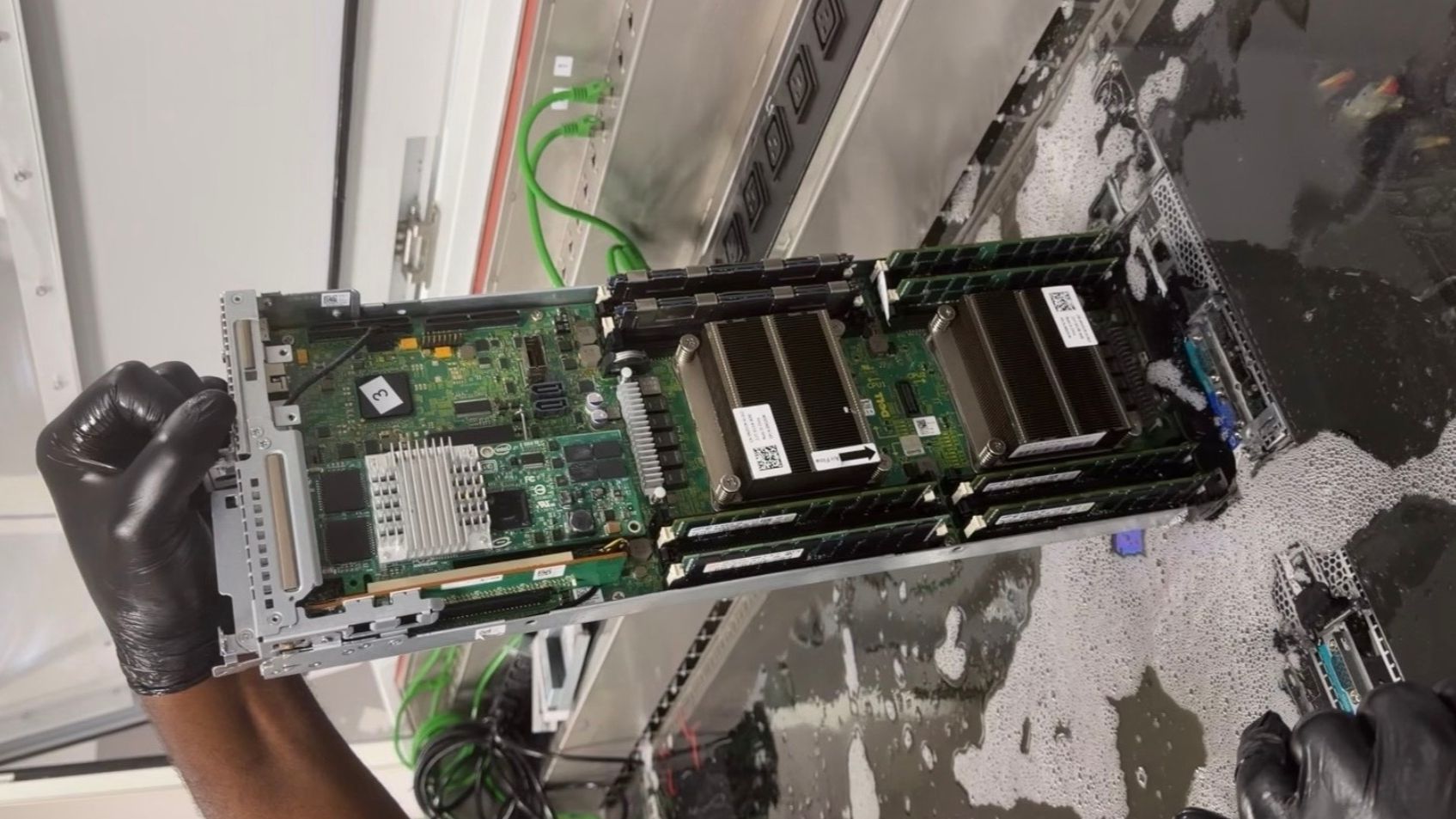
Definition, differences with a VPS, sizing, management, security and cost: everything you need to know before renting a dedicated server.
By Mouhamed BANKOLE, CEO at ITNET Technologies · Updated 15 October 2026 · Reading time: 11 min
Your VPS slows down at peak times, your database keeps growing, or a client insists that their data must run on a machine shared with nobody else. That is usually when the dedicated server question comes up, along with a few doubts: is it really faster, is it safer, and above all, is now the right time? This guide explains what a dedicated server is, how it differs from a VPS, how to size one and what to expect in terms of day-to-day operations and budget.
In short
- A dedicated server is an entire physical machine rented to a single customer: processor, memory, disks and network card are shared with nobody.
- It is also called a physical server or bare metal: these terms describe the same idea, with no virtualisation layer imposed by the host.
- It beats a VPS when the load is heavy and steady, when performance must be predictable or when a contract requires hardware isolation.
- The choice rests on four axes: CPU, memory, NVMe storage and network, followed by the level of management.
- A dedicated server needs more administration than a VPS: backups, updates and monitoring still have to be organised, by your team or by a provider.
Contents
- What is a dedicated server?
- Dedicated server, physical server, bare metal: are they the same thing?
- What is the difference between a dedicated server and a VPS?
- When does a dedicated server become a better choice than a VPS?
- How do you size a dedicated server?
- Managed or unmanaged dedicated server: which should you choose?
- How do you secure a dedicated server?
- Why does the location of a dedicated server matter?
- How much does a dedicated server cost?
What is a dedicated server?
A dedicated server is a physical computer housed in a data centre and rented in full to a single customer, who uses all of its resources. Nobody else uses its processor, its memory or its disks.
In practice, the hosting provider supplies and maintains:
- the machine itself: chassis, processor, RAM, disks, power supply;
- the data centre environment: backed-up power, cooling, physical security of the rooms;
- network connectivity: one or more IP addresses and a link to the Internet;
- hardware replacement when a component fails.
The customer chooses the operating system, installs the software and decides how the server is organised. It is the hosting formula that gives the most control, just short of colocation, where the company brings its own machine.
Dedicated server, physical server, bare metal: are they the same thing?
Yes, in everyday use these three terms describe a real machine reserved for one customer, without a shared hypervisor imposed by the host. The differences are mostly a matter of marketing vocabulary.
- Dedicated server: the historical term, built around the idea of exclusivity.
- Physical server: stresses the contrast with a virtual server (VPS).
- Bare metal: highlights that no software layer sits between your system and the hardware.
Be careful with the phrase "virtual dedicated server", which you will sometimes come across: it usually refers to a VPS with guaranteed resources, not a physical machine. Always check the technical sheet to see whether the processor is truly reserved or merely shared fairly.
Pro tip: a bare metal server can host your own virtualisation. Installing a hypervisor such as Proxmox VE lets you split the machine into several virtual servers that only you control.
What is the difference between a dedicated server and a VPS?
The difference comes down to hardware sharing: a VPS is a virtualised slice of a shared physical server, whereas a dedicated server gives you the whole machine. To understand how a virtual server works, our guide What is a VPS? walks through virtualisation step by step.
| Criterion | VPS | Dedicated server |
|---|---|---|
| Hardware | Shared, split by a hypervisor | Reserved for a single customer |
| Performance | Good, but sensitive to neighbours | Steady and predictable |
| Provisioning | Usually fast and automated | Longer, depending on the configuration |
| Scaling | Resources often added in a few clicks | Component or machine change |
| Hardware customisation | Limited to the plans on offer | Choice of CPU, disks, possibly a GPU |
| Administration | Lighter | More demanding: the whole server is yours to run |
| Budget | More affordable | Higher, justified by the workload |
The main technical argument for a dedicated server is the absence of the "noisy neighbour" effect: on a shared server, another customer's load can slow yours down. Hardware isolation also reduces exposure to side-channel attacks between virtual machines, such as those revealed by Spectre and Meltdown.
For most websites and applications, a Wayhost VPS remains the most sensible starting point: move to a dedicated server only once a concrete limit shows up.
When does a dedicated server become a better choice than a VPS?
A dedicated server becomes the better choice as soon as the load is heavy and lasting, performance has to be guaranteed or a contractual requirement calls for hardware isolation. These are the most common situations:
- Large database: intensive disk access benefits directly from unshared NVMe storage.
- Business-critical application: an ERP or management software that must never slow down during working hours.
- Artificial intelligence and computing: model inference or training often needs a GPU and plenty of memory; our article hosting an AI application helps you choose between a VPS and a dedicated server.
- Game servers: latency must stay low and stable, even with many players connected.
- Multi-tenant platform: an agency or SaaS vendor that wants to virtualise its own environments.
- Compliance: a client, a public tender or an internal policy requires that data share no machine with any other tenant.
Conversely, a dedicated server is rarely useful for a brochure site, a blog or a small shop: the power would go unused.
Pro tip: measure before you migrate. If your VPS is regularly saturated on CPU or disk access, and not just during an occasional spike, a dedicated server is justified.
How do you size a dedicated server?
You size a dedicated server from the real, measured load, then add headroom for growth, across four axes: processor, memory, storage and network. Oversizing is expensive; undersizing forces another migration.
The questions to ask for each component:
- Processor: does your application benefit from many cores (virtualisation, containers, parallel computing) or from a high clock speed (databases, games)?
- RAM: how much do the database and cache need to keep in memory? Prefer ECC memory, which corrects bit errors.
- Storage: NVMe drives for fast access, in RAID to survive a disk failure.
- Network: port speed, included traffic and the option to add IP addresses.
- GPU: only if you run AI workloads, rendering or video encoding.
| Use case | CPU priority | Memory priority | Storage priority |
|---|---|---|---|
| Database | High clock speed | Very high | NVMe in RAID |
| Virtualisation (Proxmox) | Many cores | Very high | NVMe, large capacity |
| Game server | High clock speed | Medium | NVMe |
| AI and computing | GPU first | High | Fast NVMe |
| Storage and backup | Modest | Medium | Large capacity, RAID |
At Wayhost, the physical servers page lists dedicated CPUs, NVMe storage, a GPU option and a customisable hardware configuration, with Ubuntu, Windows or Proxmox available (observed on 15 October 2026 on the Wayhost physical server page).
Managed or unmanaged dedicated server: which should you choose?
An unmanaged dedicated server leaves all the administration to you, whereas a managed server hands software maintenance, security and monitoring over to a provider. The right choice depends on the skills available in your team.
| Task | Unmanaged | Managed |
|---|---|---|
| Hardware replacement | Host | Host |
| Operating system installation | You | Provider |
| Security updates | You | Provider |
| Backups | You | Provider, depending on the contract |
| Monitoring and alerts | You | Provider |
| Response to software incidents | You | Provider, depending on the service level |
Unmanaged suits a team that is comfortable with Linux or Windows Server, SSH access and automation. A managed dedicated server makes sense when nobody in-house can provide on-call cover, or when the server runs a business that cannot afford improvisation.
What to check in a managed services contract:
- the exact scope: operating system only, or also databases and applications;
- response times according to incident severity;
- the backup policy: frequency, retention period, restore tests;
- reversibility: how you get your data and access back when the contract ends.
How do you secure a dedicated server?
Securing a dedicated server rests on three pillars: shrinking the attack surface, keeping the system up to date and being able to restore quickly when something goes wrong. On a dedicated machine, these tasks are yours unless the server is managed.
The basic measures to put in place on delivery:
- disable SSH password login in favour of keys, and forbid direct root login;
- enable a firewall that only lets through the ports you actually use;
- apply security updates automatically or on a fixed schedule;
- install a tool that blocks repeated login attempts;
- back up off the server, and test a restore at least once;
- monitor disk space, load and the health of RAID drives.
The ANSSI IT hygiene guide (French national cybersecurity agency) details these good practices and remains a reference for any organisation running its own servers.
At Wayhost, the product page mentions included DDoS protection and a configurable firewall on physical servers (observed on 15 October 2026 on the Wayhost physical server page).
Pro tip: most dedicated servers come with an out-of-band management interface, standardised for example by Redfish. It lets you reboot or reinstall the machine even when the operating system no longer responds: protect it as carefully as the server itself.
Why does the location of a dedicated server matter?
The location of a dedicated server determines the latency your users experience and the law that applies to your data. A server close to your customers responds faster, and hosting in Europe makes compliance simpler.
Three points to examine:
- latency: for a European audience, a server in France or Western Europe cuts response times;
- the legal framework: the GDPR governs transfers of personal data outside the European Union;
- the operator's jurisdiction: some organisations require a host subject to European law only, or even one qualified SecNumCloud by ANSSI.
Think about your domain name too: it is what points to your server's IP address. Managing your DNS zone with a reliable provider lets you switch from one server to another without changing your address.
On the environmental side, Wayhost highlights 100% renewable energy on its physical servers page (observed on 15 October 2026 on the Wayhost physical server page).
How much does a dedicated server cost?
The price of a dedicated server depends on the hardware configuration, the level of management and the length of commitment; it is well above that of an entry-level VPS. Comparing two offers on their monthly price alone is misleading.
The items that drive the bill:
- processor and memory, the main cost items;
- storage: capacity, NVMe technology and number of disks in RAID;
- the GPU, which can account for most of the price on an AI machine;
- licences: Windows Server is licensed per physical core under Microsoft's licensing terms, which weighs on a machine with many cores;
- management and backups, often billed separately;
- setup fees and the commitment period.
At Wayhost, the physical servers page shows no public price list: each server is configured to order via the "Configure my server" button. For comparison, the site banner advertises VPS plans from €6.23 excl. VAT per month (observed on 15 October 2026 on wayhost.cloud).
Pro tip: work out the total cost over twelve months, including licences, backups and administration time. A well-run dedicated server can replace several VPS and simplify your architecture.
Frequently asked questions
Is a dedicated server more secure than a VPS?
A dedicated server offers complete hardware isolation: no other customer shares its processor or memory. This removes the risk of a malicious or compromised neighbour on the same machine. Security still depends mostly on administration, though: a poorly patched dedicated server is more vulnerable than a well-maintained VPS.
What is a managed dedicated server?
It is a dedicated server whose software administration is entrusted to a provider. The provider installs the system, applies updates, monitors the machine and steps in when an incident occurs. The customer focuses on its applications, in exchange for a higher monthly cost.
When should you move from a VPS to a dedicated server?
The move is justified when the VPS is regularly saturated on CPU, memory or disk access despite optimisation. It also becomes necessary when a contract demands hardware isolation or when a GPU requirement appears. An occasional traffic spike, on the other hand, is not enough to justify it.
Can you install Windows on a dedicated server?
Yes, most hosts offer Windows Server alongside Linux distributions. The Windows Server licence is calculated on the number of physical cores in the server, which raises the cost on powerful machines. Check whether the licence is included in the offer or billed as an extra.
How long does it take to provision a dedicated server?
The lead time depends on the configuration you request: a standard machine in stock is delivered much faster than a custom build. Specific components, such as a GPU, can extend the delay. Always ask for the provisioning time before ordering.
Can you virtualise a dedicated server?
Yes, simply install a hypervisor such as Proxmox VE on the machine. You can then create several isolated virtual servers that you administer yourself. It is a common setup for agencies and development teams.
What happens if a component of my dedicated server fails?
The host replaces the faulty component, since it owns the hardware. With disks in RAID, a single disk failure does not interrupt service while it is being replaced. Without RAID or an external backup, a disk failure can lead to data loss.
Is a dedicated server suitable for a WordPress site?
For a typical WordPress site, a dedicated server is usually oversized. Web hosting or a VPS is enough in the vast majority of cases. A dedicated server makes sense for a very large site, a high-traffic shop or a network of many sites.
Key takeaways
- A dedicated server is an entire physical machine, reserved for a single customer.
- Dedicated server, physical server and bare metal describe the same principle of hardware exclusivity.
- It is justified by a heavy, lasting load, a need for predictable performance or an isolation requirement.
- Size it from real measurements: CPU, memory, NVMe in RAID, network and possibly a GPU.
- Plan for administration: backups, updates and monitoring, in-house or through a managed service.
For a machine that is yours alone, configure your Wayhost physical server; if your project is just starting, begin with a VPS.
Article written by Mouhamed BANKOLE, CEO at ITNET Technologies.